



Fasih Uddin
Founder I Sales Director
Dubai Electricity And Water Authority (DEWA), the official electricity and water supplier in the Emirate, makes it easy to activate these services through their mobile app. Here’s a simple guide on how to request electricity and water activation using the app.
Table of Contents
Download the DEWA Application from the iOS/Appstore

Step 1:
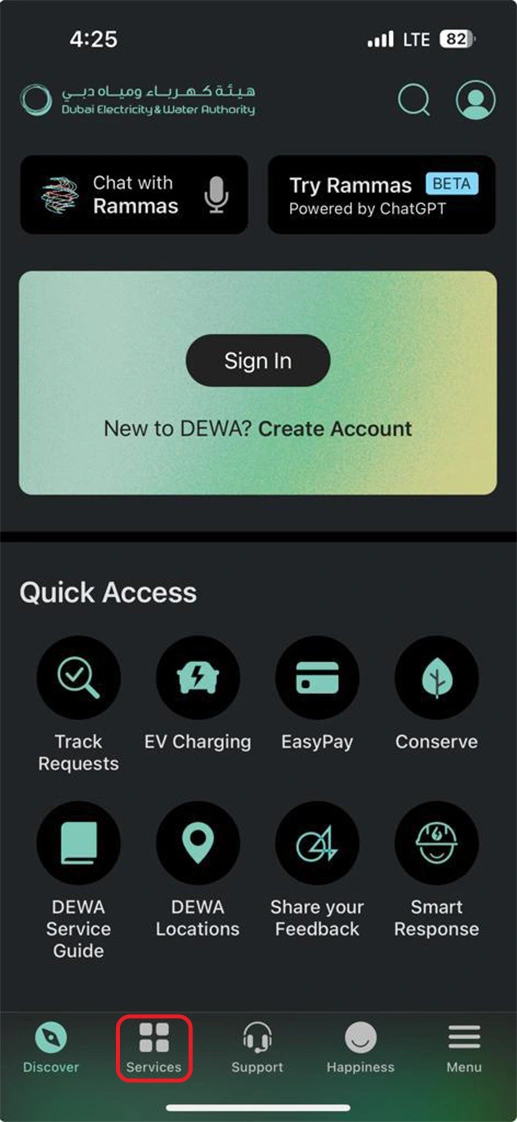
1: Choose the Services Option from the Navigation Bar of your phone.
Step 2:
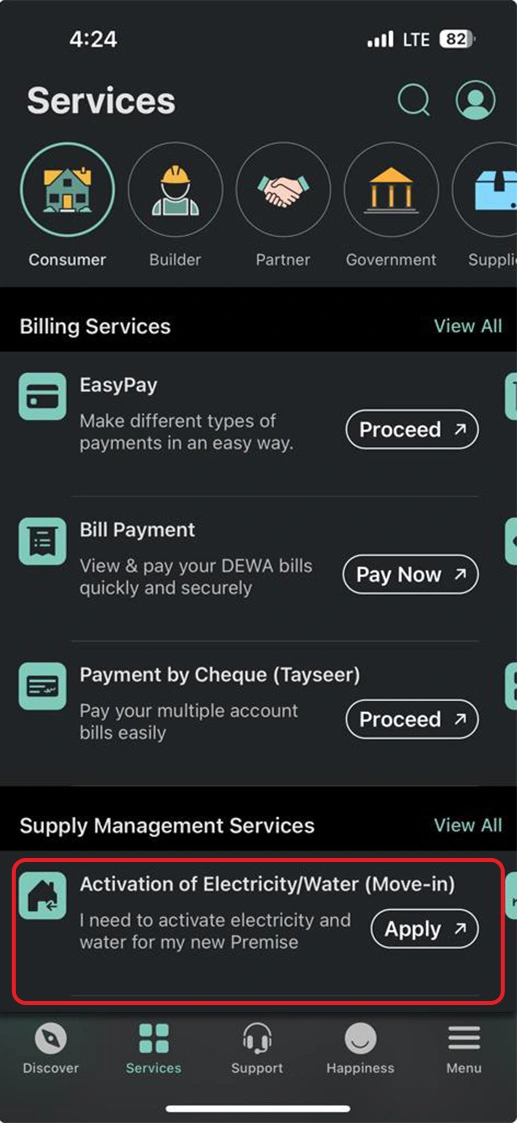
2: Tap on Activation of Electricity/Water from the services menu.
Step 3:
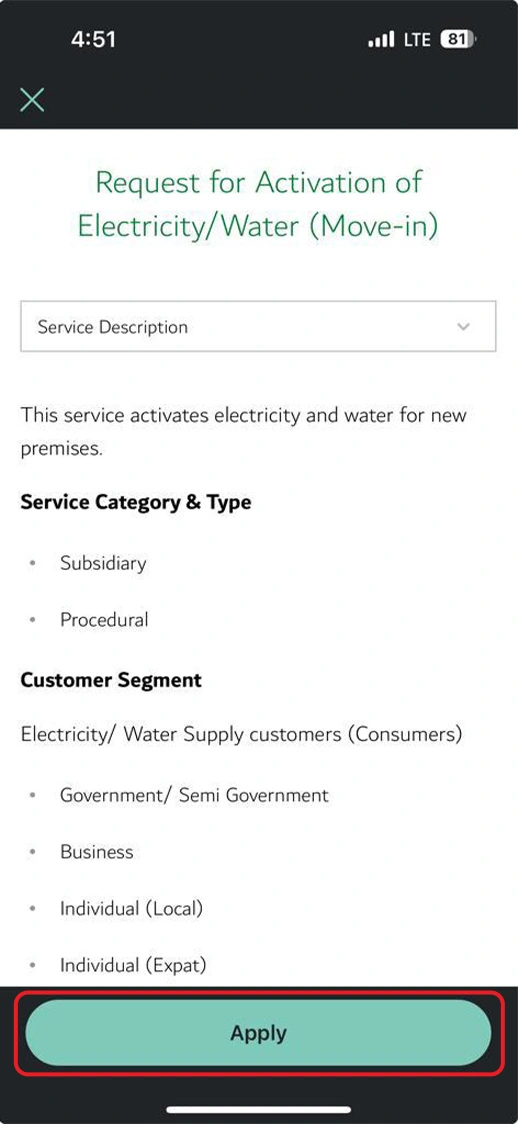
3: Tap on Apply to request for Activation.
Step 4:
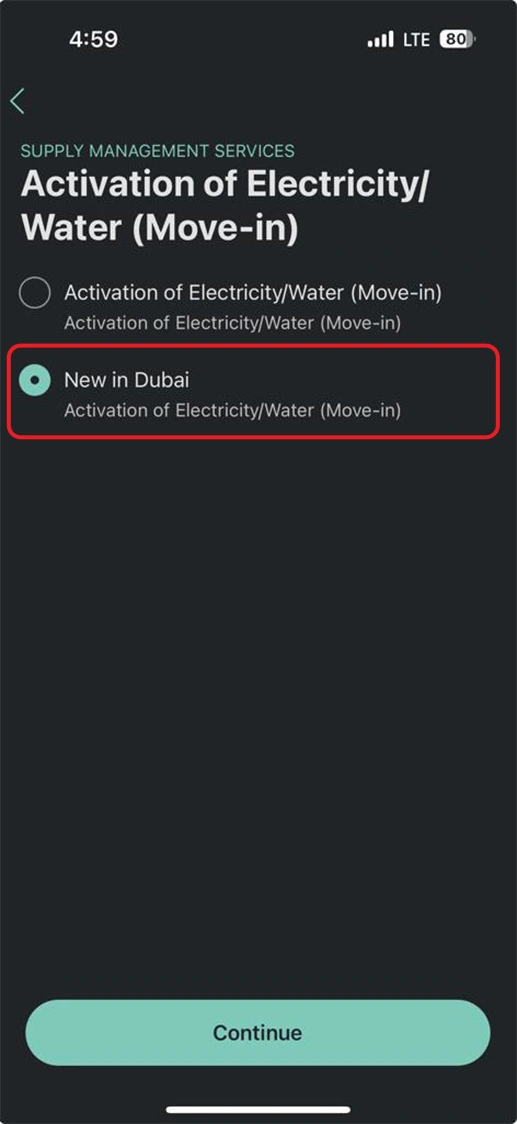
4: Choose the right option and Tap Continue
Step 5:
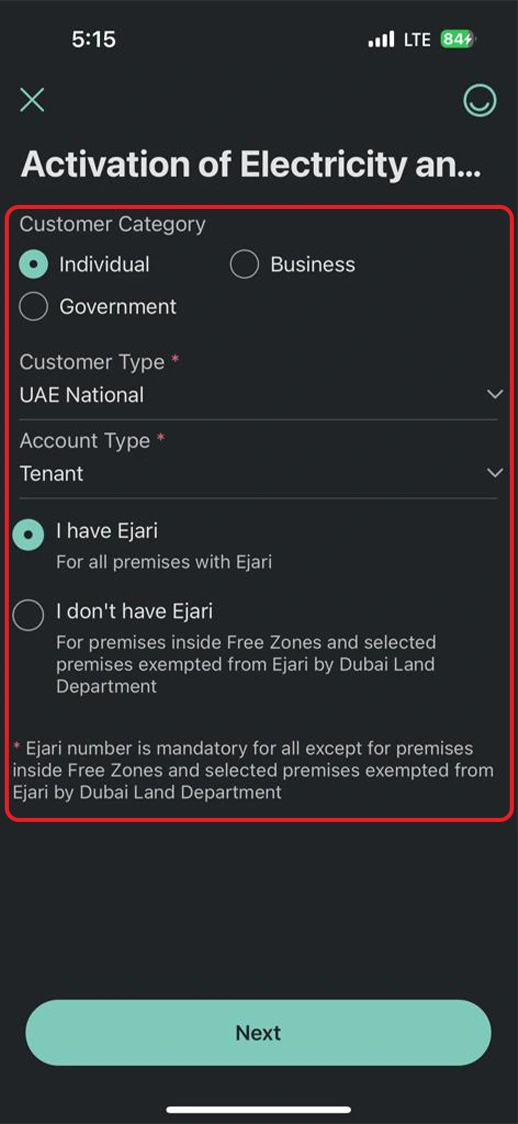
5: Choose the right Category, Customer Type, and Account Type and select (I have Ejari) to continue.
Step 6:
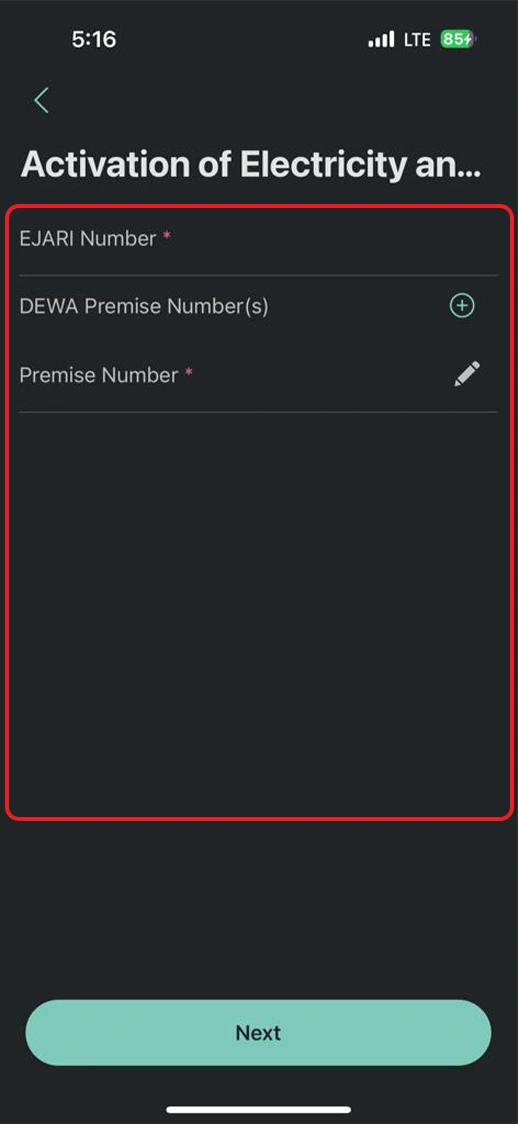
6: Put your Ejari Number and DEWA Permise Number(s) in the given feild and follow the further instructions.